


HeyBaji Casino - Registration, Login & Account
Introduction
If you want to bet on cricket, spin slots, or hit a live casino at HeyBaji, you’ll first need a secure player account. The good news is that Hey Baji’s registration and login flow is fast, mobile-friendly, and designed for players in Bangladesh.
You’ll sign up once to Hey Baji, then use the same account on desktop, Android app, and mobile web, with BDT payments and full access to bonuses, VIP, and promotions.
HeyBaji Registration Guide
Now, getting started at HeyBaji is intentionally simple so you can go from “new visitor” to “logged-in player” in just a couple of minutes. Whether you register on your phone or desktop, the core steps stay the same.
Once you’re in, you can grab welcome offers and other promos that specifically mention “Register an account with HeyBaji” as the first step.
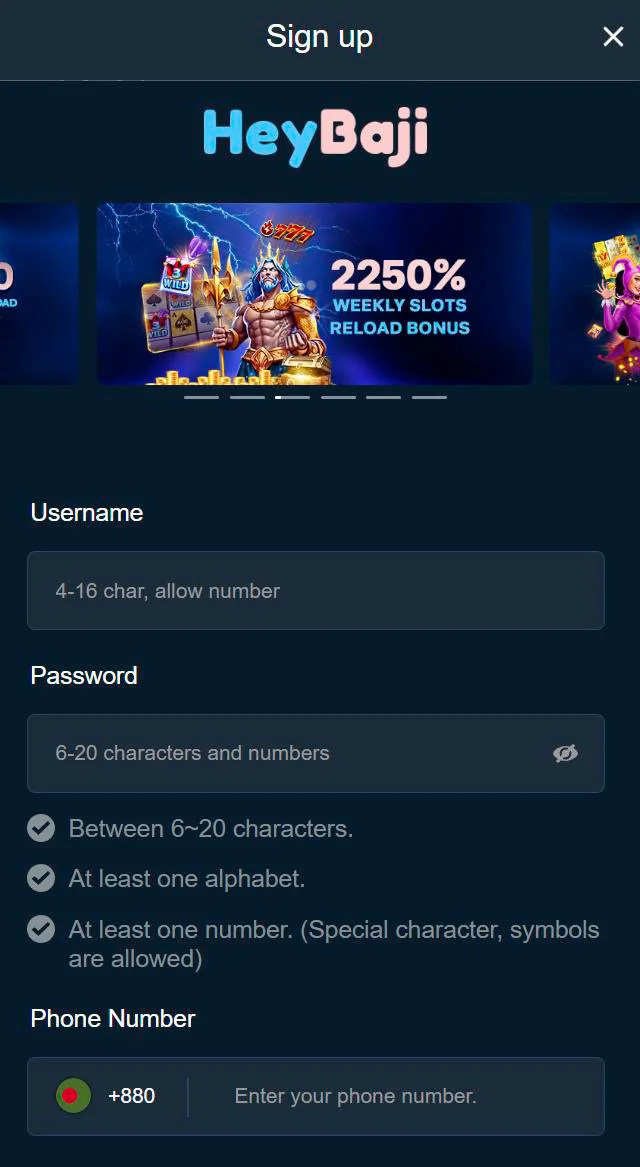
Quick Sign-Up Process (2 Minutes)
Hey Baji’s registration flow was tested to take about 2 minutes for a typical player, as long as you’ve got your mobile number handy.
To register:
- Visit the official HeyBaji website or open the Android app.
- Tap the Sign Up button on the top bar.
- Choose a username, set a strong password, and enter your phone number.
- Confirm and create your account; you’ll be inside your profile right away.
After sign-up, you can go straight to the Deposit page, pick a bonus if you want, and start playing with real money.
Required Information
During Hey Baji’s registration, we only ask for the basics so you don’t get stuck on a long form. That’s important for you if you’re signing up to Hey Baji from mobile data or a small screen.
The standard details include:
- Username and password.
- Mobile phone number.
- Basic personal info like first and last name, email, and date of birth on the full Hey Baji’s registration page.
Later, when you’re preparing for withdrawals, you’ll also need your full name and date of birth to match your KYC documents.
Mobile vs Desktop Registration
You can sign up on both mobile and desktop versions of HeyBaji, and the flow is nearly identical. On desktop, you’ll see Sign up and Login buttons in HeyBaji’s header; on mobile or app, they sit at the top of the screen or within the app header.
The only real difference is screen layout:
- On mobile/app, the form is vertically stacked and touch-friendly.
- On a desktop, the form appears in a pop-up or dedicated page, but you still fill the same fields.
Either way, once your account exists, you log in with the same credentials everywhere.
HeyBaji Login Instructions
Once your account is set up, logging back in is very straightforward. You’ll always find the Login button at the top of the HeyBaji desktop site and at the top of the mobile site or Android app.
Whether you’re jumping in for a quick cricket bet or spinning slots on a lunch break, you’re never more than a few taps away from your account.
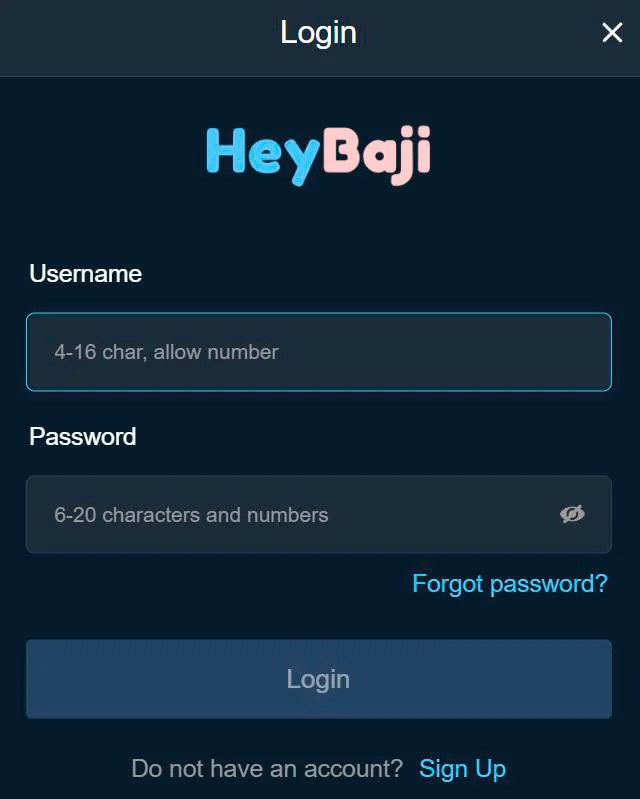
How to Log In (4 Steps)
Here’s the official 4-step HeyBaji login guide, which works on both desktop and mobile browsers.
- Open your browser and go to the official HeyBaji URL or launch the app.
- On the homepage, click or tap the Login button.
- Enter your username and password accurately.
- Click Login again to complete the process and access your account.
You’ll see your main wallet and navigation as soon as the HeyBaji login completes.
Login from Mobile App
On Android, you log in directly through the HeyBaji app, which is especially handy if you’re playing often. You’ll see Login and Sign Up in the Hey Baji header as soon as you open the app.
After the first login to Hey Baji, you can keep yourself signed in (depending on your device settings), so you only need to re-enter credentials when you log out or clear app data.
Troubleshooting Login Issues
If you hit issues logging in, it’s usually something simple like a typo or a cached session. The app and site use the same backend, so fixing it once fixes it everywhere.
Common checks:
- Make sure you’re on the official site/app URL, not a copycat.
- Double-check username and password, including caps and numbers.
- Use the Support options (Live Chat bot, Telegram, email) if you suspect your account is locked or compromised.
For password problems, see the password management section below.
Account Verification Process
Here’s the thing: to keep everything safe and compliant, HeyBaji uses a two-layer approach: quick, low-friction registration, then extra checks when you deposit and withdraw.
You can play right after signing up to HeyBaji, but you’ll need to confirm your phone and eventually complete KYC before you can fully cash out.
Phone Number Verification
Your mobile number is the backbone of your HeyBaji account, especially in Bangladesh, where payments are tied to your phone.
Key points:
- There’s no heavy verification at registration itself.
- You must verify your phone number when you make your first deposit.
- You’ll receive an OTP to the number you registered, and you need to enter it correctly to proceed.
This step also helps protect your account from unauthorised access.
KYC Requirements for Withdrawal
Full KYC checks kick in at the withdrawal stage, which is standard practice for licensed casinos. Before your first cash-out, HeyBaji will require identity verification.
Typically, you’ll be asked to confirm:
- Full name.
- Date of birth.
- Email address, with OTP verification if requested.
Without passing KYC, withdrawal requests may be delayed or declined, so it’s better to complete it early once you know you like playing with us.
Document Upload (If Required)
If our team needs documents, they’ll usually align with standard KYC expectations. While the exact upload interface isn’t spelled out in the file, the withdrawal KYC implies you may need to submit:
- A valid ID (e.g., NID or passport) matching your account name.
- Possibly proof of address or payment ownership, depending on internal checks.
If something is missing or unclear, you can always reach out via Live Chat bot, Telegram, email, or Facebook, and the support team will guide you.
Account Security & Management
We take your account security seriously, and you should too, especially when you’re using mobile wallets and real-money betting. The combination of password control, phone verification, and KYC creates a strong security layer for your HeyBaji profile.
You can also lean on our 24/7 support channels if you think someone else has accessed your account.
Password Management & Recovery
While the internal files don’t spell out the exact “Forgot Password” steps, Hey Baji clearly uses a username-password login with email and phone records on file. That means you should:
- Use a unique, strong password that you don’t reuse on other sites.
- Keep your email and phone number up to date, since OTP or reset links will go there.
- Contact support via email or live chat if you can’t recover access using the on-site tools.
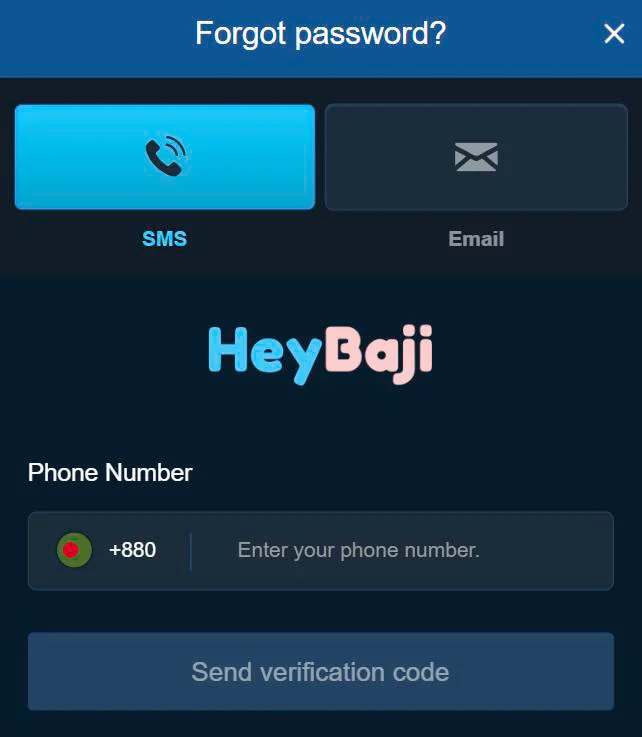
If you ever suspect someone knows your password, change it immediately and avoid saving it on shared devices.
Device Management
Now, the platform lets you switch devices freely, but you’re responsible for where you stay logged in. Since deposits and withdrawals are just a few taps away, it’s smart to control your devices.
Best practices:
- Always log out on shared or public computers.
- Protect your phone with a lock screen (PIN, pattern, or biometrics).
- If you suspect unauthorised use, change your password and reach out to support with your Hey Baji login so they can investigate.
Because every player is allowed only one account, you should not create multiple profiles to “fix” access issues; instead, fix the original account properly.
Multi-Device Access
You can happily log into HeyBaji from desktop, Android app, and mobile browser using the same account. That’s a big plus if you like to scan markets on your PC and place final bets on your phone.
All your balances, bonuses, and game history are tied to one central wallet, so there’s no separate “app balance” or “web balance” to worry about.
Desktop Login Experience
On desktop, the site layout gives you a wide, clear view with the Login and Sign up buttons at the top right of the Hey Baji Bangladesh header.
Once logged in, you see:
- Deposit shortcut with a clear icon.
- Main Wallet label with your BDT balance and refresh icon.
- Navigation to casino, sports, promotions, VIP, and more.
This is perfect when you’re doing more detailed browsing, checking odds, or exploring new games.
Mobile App Login Benefits
On mobile, especially in the Android app, everything is designed for one-handed use. You get quick access to hot games, categories, and promotions, plus easy access to support and payments.
Advantages of logging in via mobile:
- Faster access to real-time sports betting and live streaming.
- Simple switching between casino, sports, and promotions.
- Easy use of local mobile payment methods like bKash, Nagad, Rocket, and Upay in BDT.
If you’re mostly betting on live sports or spinning during breaks, mobile login to Hey Baji Bangladesh will feel the most natural for you.
Conclusion
Honestly, getting set up at Hey Baji is as painless as we can make it: a 2-minute registration, simple 4-step login, and clear verification steps when you start depositing and withdrawing.
Bottom line, once your account is created and your phone and KYC are verified, you can enjoy the full HeyBaji experience across desktop, Android app, and mobile web with secure access to all games, promos, and BDT payments.