


HeyBaji Casino - Mobile App Download
Introduction
If you love playing on the go, our HeyBaji mobile setup lets you take slots, live casino, sports betting, and promotions with you anywhere in Bangladesh. The Android app plus our iOS-friendly web app mean you can always jump into a game or place a bet in just a few taps.

Here’s the thing: we’ve kept everything lightweight and mobile-optimised, so you get fast loading, simple navigation, and full access to payments like bKash, Nagad, Rocket, and Upay directly from your phone.
HeyBaji Android App Download & Installation
On Android, you’ll be using our dedicated HeyBaji APK since real-money casino apps can’t sit on Google Play in Bangladesh. You grab the file straight from our official website and install it manually, which only takes a minute or two.
Once installed, the HeyBaji live app gives you the same sections as the desktop, including casino, sports, promotions, VIP, and customer support, all inside a mobile-friendly layout.
How to Download HeyBaji APK
To download the HeyBaji Android app, you first head to the official HeyBaji site from your mobile or PC. On a desktop, you can open the main menu and tap the “Download” option, then scan the QR code with your Android device to start the APK download.

If you’re already browsing on your phone, you can tap the Android download banner or app-download link to pull the APK directly, without needing Google Play.
Quick steps for downloading the HeyBaji app:
- Open the official HeyBaji website on mobile or PC.
- Go to the App Download or Download section from the menu.
- Scan the QR code with your Android phone or tap the Android download button.
- Confirm the HeyBaji app (APK) download in your browser.
This way, you always get the latest official version, not some random file from a third-party site.
Android Installation Guide (6 Steps)
Now, installing the APK is straightforward, even if you’ve never done it before. You just need to allow installs from unknown sources once, then follow a few on-screen prompts.
Here’s a simple 6-step guide you can follow:
- Open your Downloads folder and tap the HeyBaji app (HeyBaji.apk file).
- If prompted, enable “Install unknown apps” or “Allow from this source” for your browser.
- Tap Install and wait a few seconds while Android sets up the app.
- Once installed, tap Open to launch HeyBaji instantly.
- Log in with your existing account or tap Sign Up to create a new one.
- After logging in, head to Deposit to fund your wallet via bKash, Nagad, Rocket, or Upay and start playing.
The HeyBaji live app itself is very small and lightweight, so even if your phone is older or storage is tight, you’ll be fine.
App Requirements & Compatibility
The HeyBaji Android app is built to run smoothly on most modern Android phones used in Bangladesh. You don’t need a flagship to play; a mid-range device with a stable internet connection is enough.
As long as your Android version supports installing APKs and running modern web components (Chrome/WebView), you’ll be able to open a live casino, spin slots, and place sports bets without issues.
Typical requirements include:
- An Android smartphone or tablet with APK install enabled.
- Stable mobile data or Wi-Fi connection.
- Enough free storage for the small app plus game cache.
HeyBaji iOS Solution - Progressive Web App
Now, for iPhone users, there’s no native HeyBaji iOS app for downloading in the App Store, but you still get a very handy Progressive Web App (PWA) option. Instead of installing from a store, you simply add HeyBaji to your home screen and use it like a regular app icon.
This HeyBaji Web App is optimised for small screens and gives you nearly the same experience as Android: games, sports, promos, and payments are all accessible from Safari.
How to Add HeyBaji to Home Screen (Safari)
To turn HeyBaji into an “app” on iOS without downloading, you just use Safari’s built-in Add to Home Screen feature. It takes less than a minute, and you only do it once.
Steps in Safari:
- Open Safari and go to the official HeyBaji website.
- Log in or tap Sign Up if you don’t have an account yet.
- Tap the Share icon (square with an arrow).
- Scroll down and select Add to Home Screen.
- Rename it to “HeyBaji” if you like, then tap Add.
After that, you’ll see the HeyBaji icon on your iPhone home screen, and you can tap it just like any native app.
PWA vs Native App Features
You might be wondering what’s different between Android’s native app and the iOS PWA. Functionally, both are designed to let you register, log in, deposit, withdraw, and play all the main game categories plus sports.
The main differences:
- Installation: Android uses an APK; iOS uses Safari’s Add to Home Screen.
- Updates: The PWA updates automatically when we update the site, while the APK needs occasional re-downloads.
- OS Hooks: Some system-level features like deep biometric integration feel smoother on Android, but iOS PWA still works great for secure login and gameplay.
Bottom line, if you’re on iOS, you’re not missing the core HeyBaji experience; you just get it through the browser shell instead of the App Store.
HeyBaji App Navigation & Interface
Let’s dig into how the HeyBaji app actually feels to use, because that’s what decides if you’ll stick with it. The HeyBaji interface is built around a clear top and bottom navigation, with big category icons for Slots, Casino, Sports, Arcade, Table, Lottery, Fishing, Crash, and more.
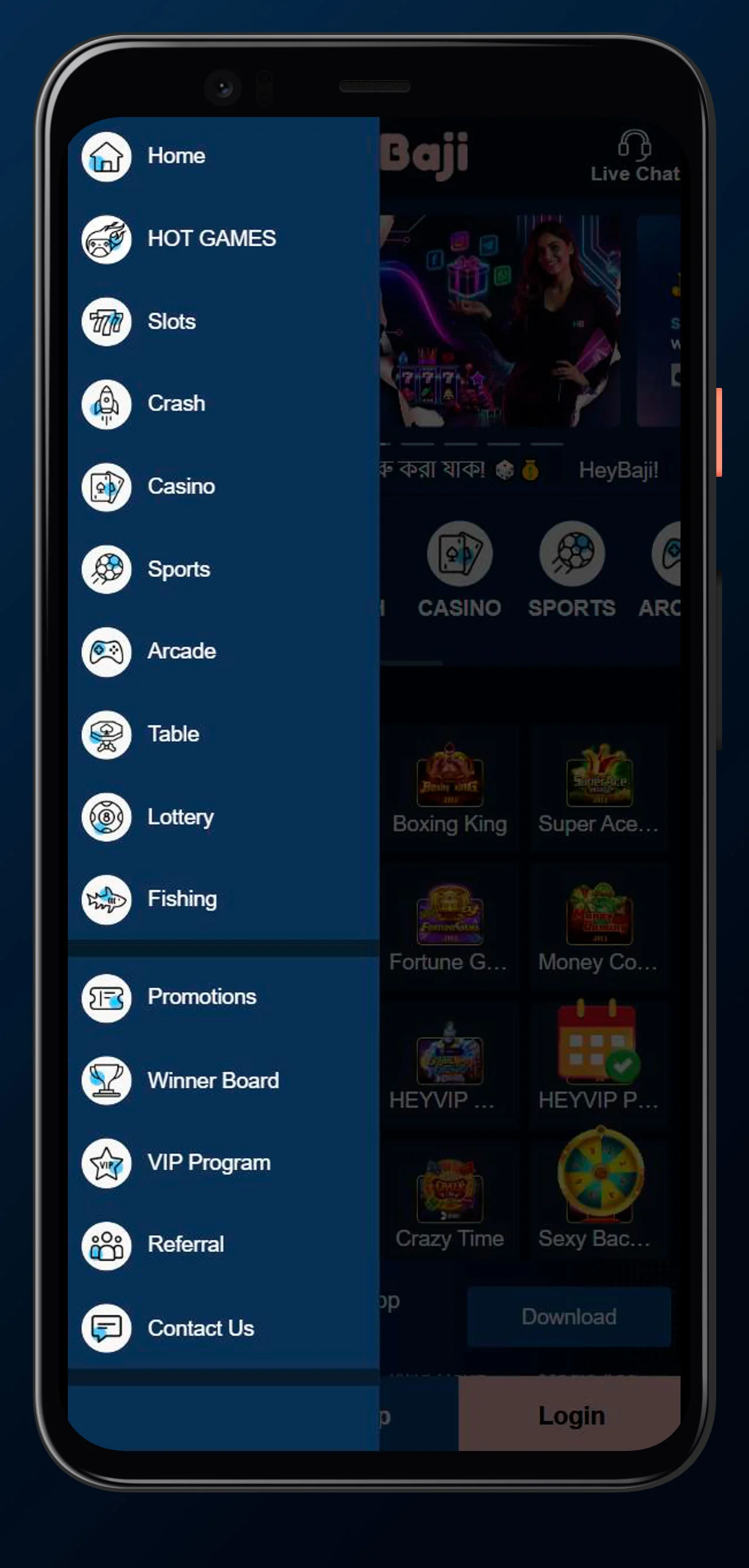
From the home screen, you also see banners for promotions, favourites, and popular games like Super Ace, Boxing King, and Fortune Gems, so you can jump straight into trending titles.
Main Menu & Game Sections
In the mobile layout, you get a compact menu that shows all the core sections:
- HOT GAMES
- SLOTS
- CRASH
- CASINO (live dealer)
- SPORTS
- ARCADE
- TABLE
- LOTTERY
- FISHING
On top of that, the left-side or slide-out menu includes shortcuts to HeyBaji Promotions, VIP, Referral, Winner Board, App (APK) Download, Contact Us, and more.
This makes it easy for you to swap from spinning JILI slots to placing a cricket bet, then clicking into promotions to claim a bonus, all without hunting around.
Registration & Login from Mobile
Registering and logging in from your phone is simple, whether you’re on Android or using the PWA. On the HeyBaji app or mobile site, you’ll see Sign Up and Login buttons prominently at the top.
To register, you:
- Tap Sign Up, choose a username, set a strong password, and enter your phone number.
- Confirm and create your account in about 2 minutes.
For login, you:
- Tap Login on the home screen.
- Enter your username and password.
- Hit Login again, and you’re in.
Your phone number is verified on your first deposit, and full KYC kicks in when you make your first withdrawal, which keeps your account secure while keeping sign-up light.
Mobile App Features & Benefits
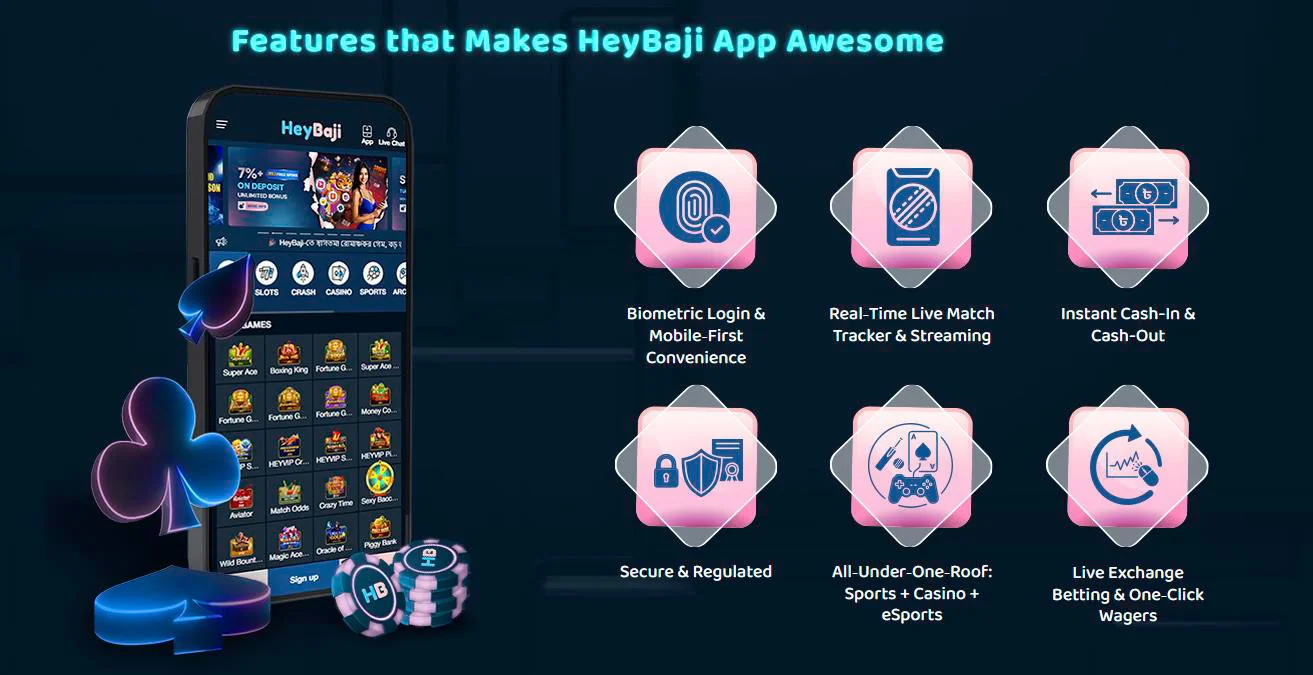
Using HeyBaji on mobile isn’t just about convenience; you actually get a few quality-of-life upgrades compared to playing on a laptop. The layout is tightly optimised for one-hand use, and core functions like Deposits, Wallet, and Live Chat are just one tap away.
Now, paired with our local payment support, it means you can log in, deposit via bKash or Nagad, and jump into your favourite game while you’re commuting or chilling at home.
Biometric Login & Security
Here’s the thing: while our files don’t name “fingerprint” or “Face ID” explicitly, the mobile setup is built to work with your phone’s existing security. That means:
- Your HeyBaji password is protected by your Android or iOS lock screen.
- You can combine app login with your usual PIN or biometric lock, depending on your device settings.
On top of that, HeyBaji itself uses modern security measures and a Curacao license under VB Digital N.V., so your transactions and gameplay run on a regulated platform.
Mobile-Exclusive Features
The Android app layout comes with some UX touches that feel better on mobile than on desktop. For example, on Android, you can see the Live Chat button clearly in the top corner, and you can access the CS Link, Telegram, support email, and Facebook Messenger quickly from the contact menu.
You also get quick access to:
- Deposit button in the header.
- Main Wallet balance with refresh.
- Floating banners for daily rewards and spin-to-win style promos when active.
These extras make it easier for you to claim promos and manage your account without digging through multiple pages.
Sports Betting & Live Streaming
From mobile, you can still use the full HeyBaji sportsbook that bundles 8 platforms like 9WICKETS, SBO, SABA, CMD, BTI and others. You can browse football, cricket, tennis, eSports, and more, place pre-match and live bets, and in many cases watch live streaming where a play or screen icon appears.
Live betting on mobile is especially handy because you can react instantly to goals, wickets, or momentum swings without being tied to a PC, making your sports viewing more interactive.
Mobile App Performance
Performance-wise, the HeyBaji Android app is described as “very small and lightweight” with fast-loading features that are tuned for small screens. You don’t get bloated transitions or heavy animations, which helps a lot on mid-range Bangladeshi devices.
The mobile site and PWA are also optimised; pages like casino, sports, and promotions render cleanly and respond quickly, with game tiles, providers, and categories loading without you waiting ages on 4G.
If your internet dips, the biggest impact will usually be on live streams and live dealer games, so using a stable Wi-Fi or strong mobile data signal is always your best move.
Conclusion
If you want a smooth, Bangladesh-focused mobile experience, the Hey Baji Android app plus the iOS web app give you fast access to slots, live casino, sports betting, promos, and VIP perks from your phone.
Bottom line, you download a lightweight APK or add the PWA to your home screen, log in, deposit in BDT with local methods, and carry the full HeyBaji Casino and Sportsbook in your pocket wherever you go.